A long list isn't a plan.
You write everything down so you won't forget it. Then the list grows to forty things that all look urgent, and looking at it starts to feel worse than not looking. Picking one feels like a decision you'll get wrong, so you pick none and empty the dishwasher instead.
"The sheer number of items was so intimidating that it was 2 months before I looked at it again!"
Most to-do apps are great at collecting tasks and no help with the hard part: deciding what to do right now. Unfinished tasks keep tugging at your attention, and research suggests what quiets them is a concrete plan, not a shorter list (Masicampo & Baumeister, 2011).
So Yarvy does two things. It takes everything off your mind, and it hands you back one next step.
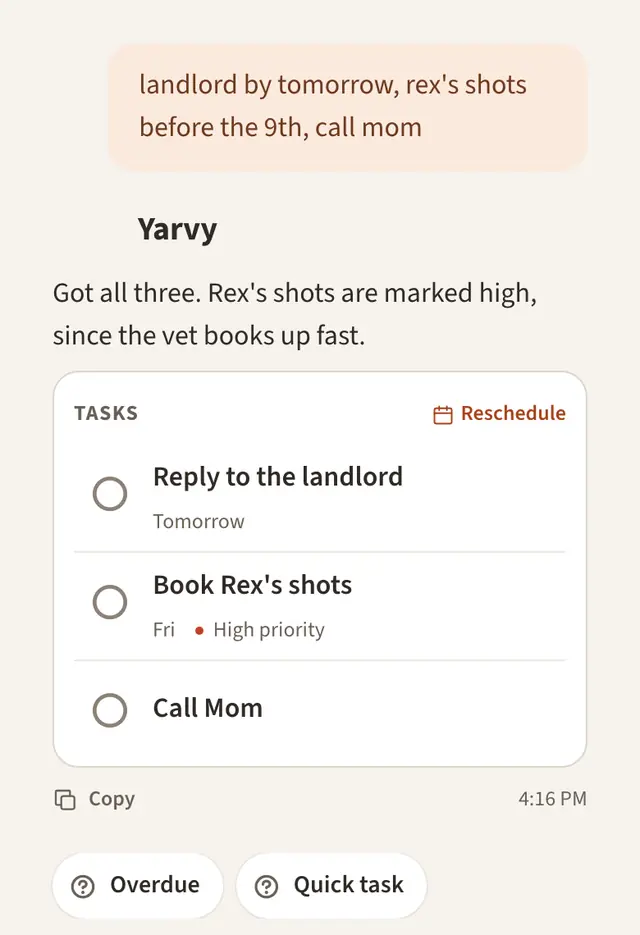
Dump it all in. Messy is fine.
There are no tags or priorities to set up first. Type it the way it comes out of your head, all in one go. Yarvy pulls out each task, reads dates, times, and repeats from plain words, and files things into the right list.
It shows you exactly what it added, and one tap undoes it.
Ask "what now?" and get one answer
Yarvy looks at everything on your list and picks one place to start, with a backup in case it doesn't fit. Here's what it weighs, roughly in this order.
- What's due or overdue. Real deadlines first, weighted by how close they are.
- What moves a goal. A step toward something you care about beats a loose errand, especially when that goal is behind.
- What fits right now. The time and energy you mention, like "I've got 20 minutes" or "I'm wiped."
- What it knows about you. Mention once that you focus best before noon, and it plans around that from then on.
| If you're feeling | Just say |
|---|---|
| Short on time | "I've got 20 minutes. What now?" |
| Out of energy | "Something easy. I'm wiped." |
| Not into its pick | "Not that one. What else?" |
| Behind on everything | "Push the rest to tomorrow." |
Open the app, get the day
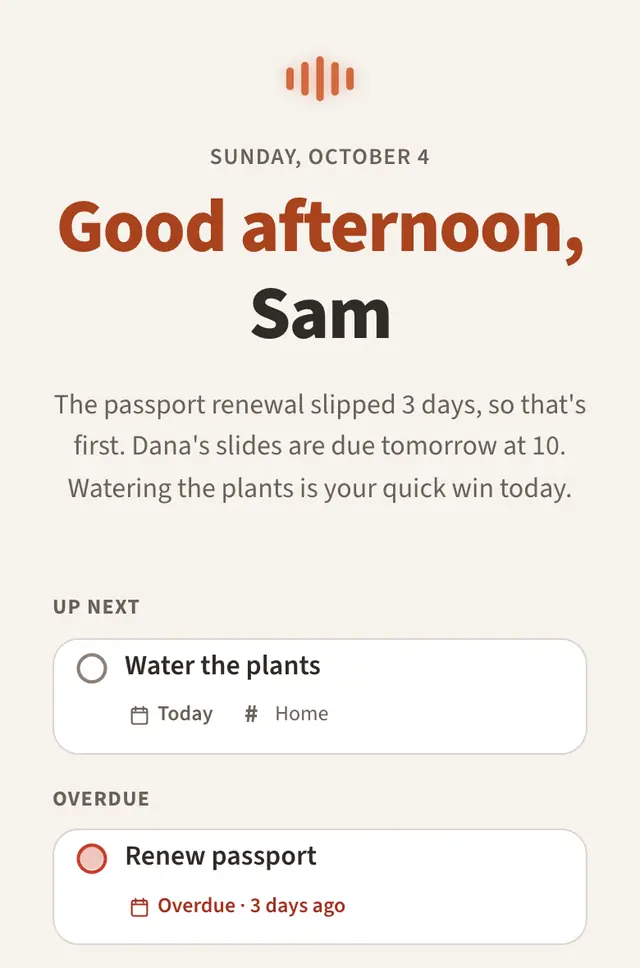
When you open Yarvy, it starts with a short rundown: what's due, what slipped, and the quick win if you need one. Late in the day it helps you wrap up and pick what's first tomorrow.
The rest of the list waits quietly. No wall of red, and nothing moves unless you ask.